Implementing Frappe ID SSO
A little technical writeup
10 min readTech
Setting up the “Context”
Last Friday at 6:30pm - @Neha Sankhe, @Pragati Kandoi and I were discussing flows for Frappe Connect (PRM) on how the customer should be onboarded on Central (Cloud). While discussing the flows, Neha pointed out again to the need and importance for having one single login portal - login.frappe.io / id.frappe.io.
We talked it over briefly and caught @Rushabh for a two-minute version of the same conversation. His answer was short - if this is needed, do it now, don't delay it. Since it was pretty late in evening and that too a Friday evening, we closed off the topic and went back home.
I could not get it out of my head. I have heard this problem before, from more than one person, and it has always felt like a real gap rather than a nice-to-have. I started off with some POC solutioning prompt on the newly launched GPT-6 Astra, which was available late on the same night. The session had nothing significant, it was just me writing down what I thought was the right solution for this and how I could imagine it to work.
Naive me thinking that all the “AGI is here” and “we are cooked” tweets were actually true this time and that I would be able to one shot the entire thing. 10 mins into the session (just research btw), I realised that I had burned down all my tokens. OpenAI basically telling me - $20 is not enough. Not good enough!
I was like ok, I have time to implement this and think this through, will keep waiting for the 5 hour limits to reset and try again and again over the weekend. And ofc I exhausted my weekly limit.
Since I had carved out some barebone structure of how this should work, I tried to dump it in a markdown file, noting down the phased out plan and the reasoning behind each decision.
On Monday, I started again with Opus 5 this time. I kept using GPT-6 Astra for reviewing the Opus code, ofc it would keep finding valid problems.
Moral of this background - Yet to explore GPT-6 Astra’s powers cause I haven’t taken $100 plan. But it is great for reviewing code and giving concise answers.
Moving on to the main topic…
The unsolved problem of id.frappe.io
An old reference post I could find - Frappe Login - Global SSO
Right now, every Frappe site is its own island.
A customer with four sites has four accounts. Four passwords. Four password resets when they forget. Four separate places to remember the site name.
Solutioning
So, I wanted to name the app as “Passport“. It just makes sense with the current aviation metaphors. C’mon, you can’t deny it. But I agree that Sign in with Frappe ID has more aura.
Now if I name the app as ID, the doctype names become ID Account, ID Client etc. Ahh, does not have nice ring right? So I thought Passport does sound better as app name, but for all the user facing content should be Frappe ID. Ik @Aditya said no more complex names, but this can be an exception?
Anyway, this is broadly how the doctypes look on both the pieces.
Passport
| Doctype | Why? |
|---|---|
| Passport Account | Person identity, who the person is |
| Passport Client | Site identity |
| Passport Session | Active sessions |
| Passport Session Client | Which sites do we need to sign out of |
| Passport Membership | Track for which sites can this user open |
| Passport Signing Key | Verify the signature from sites |
| Passport Access Token | Access tokens as name suggests |
Framework
| Doctype | Why? |
|---|---|
| OpenID Connect Provider | Where is frappe id, what are the credentials |
| External Identity | User to frappe id map |
| OpenID Connect Revocation | Which sign in sessions to be revoked |
| OIDC Membership | Information to be passed to Frappe ID |
Most important ones are mainly -
- External Identity - Holds: a Frappe ID person, and which user on this site is them.
- Passport Account - UUID based account for a user.
- Passport Session - One sign-in at Frappe ID. Who, when it started, when it ends, and whether it is still alive.
The only thing Central does in the entire flow is -
- It itself can be a client to Frappe ID.
- Act as the setup bridge between Frappe ID and the site.
How will this work?
Like any Google ID/Apple ID setup, when you try to login to your site like - helpdesk.frappe.localhost. You will see a Sign in with Frappe ID button.
- It redirects you to
id.frappe.io(one single issuer site). If you don’t have a Frappe ID, signup and create one - name and email address are required. - Frappe ID sends a verification link (can be easily done via OTP as well). You open the link and choose a password for Frappe ID.
- Frappe ID has verified you and created your account.
- Frappe ID sends you back to helpdesk site (where you came from) with a code (authorization code) in the URL.
helpdesk.frappe.localhosttakes that code and asks Frappe ID about it. Privately - server to server.- Frappe ID replies with a signed note saying who you are.
- Helpdesk checks the signature, finds its own user with your email, logs you in.
This is how standard SSO works btw. “Sign in with Google” is literally the same protocol - OpenID Connect, authorization code flow with PKCE. So, nope I haven’t invented anything new.
Btw, no account is created until you are verified.
Second site login?
Every site after you have logged into Frappe ID, is single sign on.
Go to different site - crm.frappe.localhost - Sign in with Frappe ID.
Directly logs you in with a fresh code and session inside the site.
Demo
Sign in with Frappe ID on two different sites
The site picker
id.frappe.io also shows you a list of your sites. Single click and you are in.
If don’t want to go to id.frappe.io. Desk shows a site picker button as well, easy one click to id.frappe.io’s site picker, simple switch and done, continue session in another site.
This entirely eliminates the need to remember the sitenames. Given our low attention spans, I feel it’s a plus.
Switching sites gets easier
How does a site enroll or opt for Frappe ID?
- The administrator turns on Frappe sign-in in the site's Cloud Settings (in-app cloud).
- The request goes through like other requests in In-app cloud → Site to Pilot to Central.
- Central checks the site belongs to it’s customer and server - asks Frappe ID to register the site.
- Client id and secret travel back to site and the site is then a registered Frappe ID site.
- It now has a Sign in with Frappe ID button.
Can this be done by default and have an opt out instead? Yes, but I wanted to keep it opt in for now at least till we get this battle tested.
Since this is a frappe app, anyone can self host it and setup their own Frappe ID as well for their own self hosted sites, if they don’t want to do it via cloud. On cloud it will be pre-configured though, so it’s just a toggle to turn off or on.
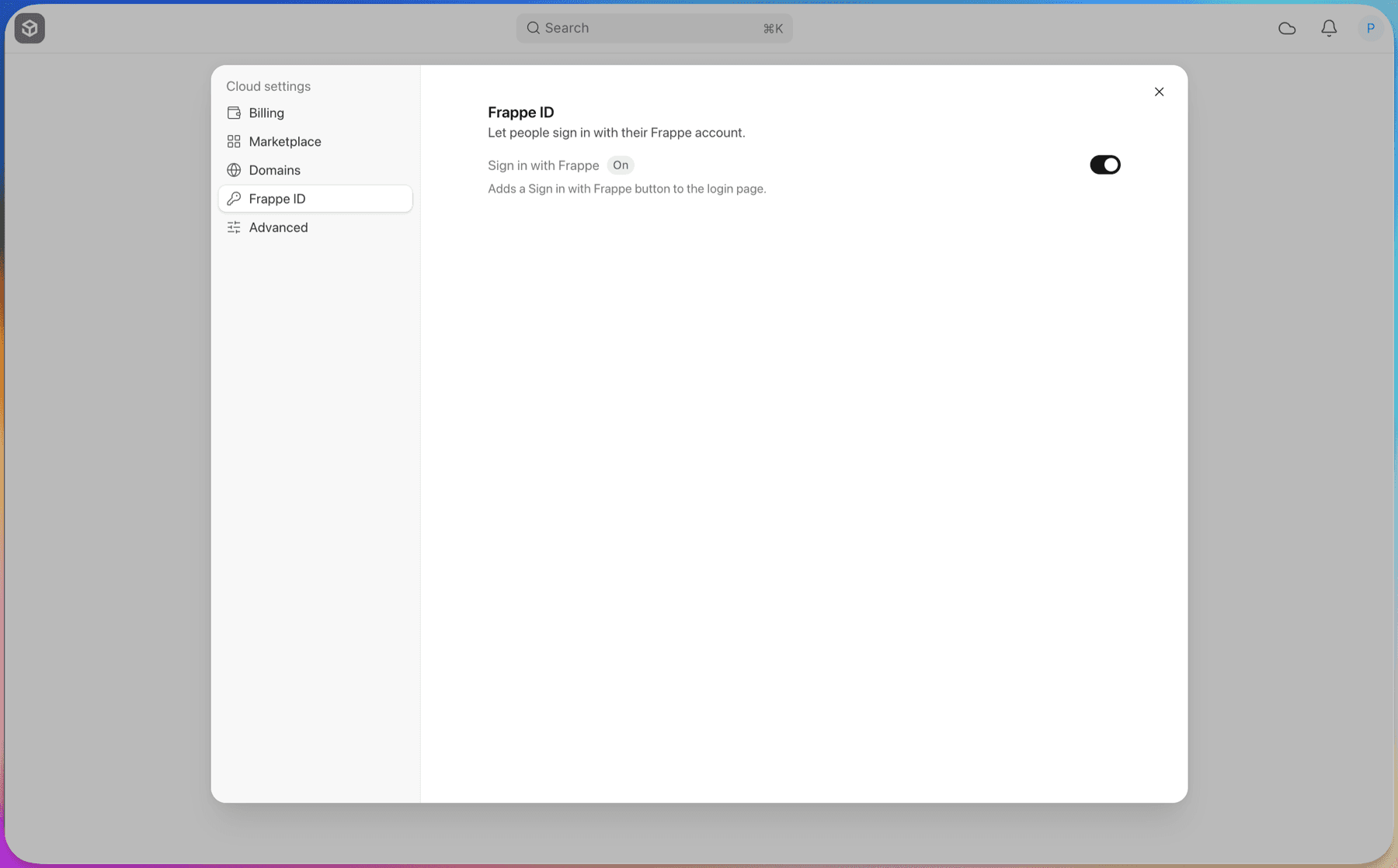
Turning it off
- The administrator turns the switch off in Cloud Settings.
- Everyone who got in through Frappe ID is signed out on their next request.
- The Sign in with Frappe ID button disappears.
- Passwords keep working, untouched.
Turning it back on later doesn't revive the old sessions. People sign in again. But nobody has to re-link anything.
How do you invite someone to a site?
No difference here from existing flow.
- The admin adds the person on the site, by email, same as always.
- The person gets the site's normal invite mail.
- They open the link and click Sign in with Frappe ID.
- No Frappe ID yet? They make one - name, email, verification link, password.
- Rest of the flow is same as above.
Taking someone's access away
Disable the user on that site, same as you do today.
That site refuses them on the next request. Every other site is unaffected.
Signing out (global)
- You sign out of Frappe ID.
- Frappe ID calls every site you used with that login.
- Each site kills your session there.
- Next click on any of those sites and you're back at a login page.
What if a site is down when we call? We retry. 30 seconds, then a minute, then longer, up to an hour.
Signing out of a single site
No change, you sign out the normal way, local session ends. Frappe ID session is not touched.
Go back and sign in - straight back with no password.
What if Frappe ID goes down?
- Everyone already logged in stays logged in.
- New Frappe ID logins fail.
- The login page quietly falls back to a password. User can always login using email, password.
Other questions I had before building this
Using Social Login Key?
Already ships with Frappe. It does not verify the signature on the token. It accepts an email that was never verified. It has no PKCE, no sign-out, and no link record. Those choices are fine for “sign in with Google”. They are not fine for being the place the account lives. Even Ankush suggested building it separate for security reasons.
Put it inside Central?
Central has team and role based logic amongst other things, this has to be a separate app on a separate site completely given volume. Central is a customer of Frappe ID now, using the same registration call as any site.
Yet to build
- Step-up 2FA. A site asks Frappe ID to check a second factor, and checks the answer instead of trusting a flag.
- OTP instead of a verification link for signup.
- Need better designs for Frappe ID screens. Open assignment for any designer btw, if nobody finds time, I will take time to design these myself.
- Setting up metrics.
Load testing and Security
I wanted to perform load testing myself, firstly just asked Claude to perform some load testing locally, gave good results honestly. But then remembered we have caffiene, went through readme and it said no use to run on Mac, test it on a linux machine. So will have to deploy this on some machine and do load testing. I have ensured basic indexing and caching correctly and avoided N+1 queries etc, positive about the overall performance results.
Had a brief chat with Ankush the other day, he said get it somewhat ready and then we will do a thorough security review using our harness. Will spend some time with @Ankush in coming week to get both these things tested and fixed.
Deployment
So this is a low-traffic, high-stakes service. We need to design it for uptime, not for throughput.
Two app servers behind a load balancer should suffice? Will need help with this.
Conclusion
Had fun building this, I really want this to be in production after our testing and security checks. Currently under my org, but will move under frappe once it passes the checks and is completely ready - prathameshkurunkar7/passport